

Please check with your phone’s instruction manual for specific set up instructions.
To set up Domains email on your iPhone, please follow these steps:
Step-1.
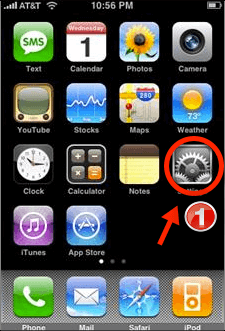
Tap on Settings from your home screen. Your settings panel displays.
Step-2.
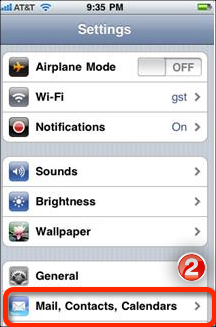
Scroll down and tap Mail, Contacts, Calendars.
Step-3.
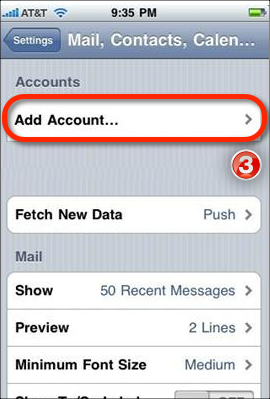
Tap on Add Account.
Step-4.
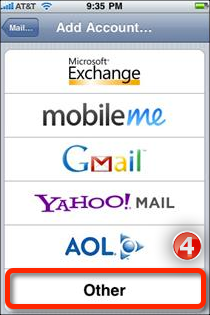
Scroll to the bottom of the screen and tap Other.
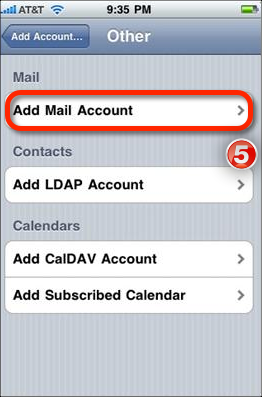
Step-5.
Tap Add Mail Account.
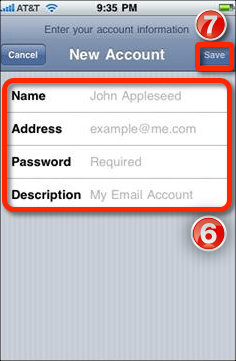
Step-6.
Enter your name, your full email address (email@yourdomain.com), your password and any description you would like for the account).
Step-7.
Tap Save.
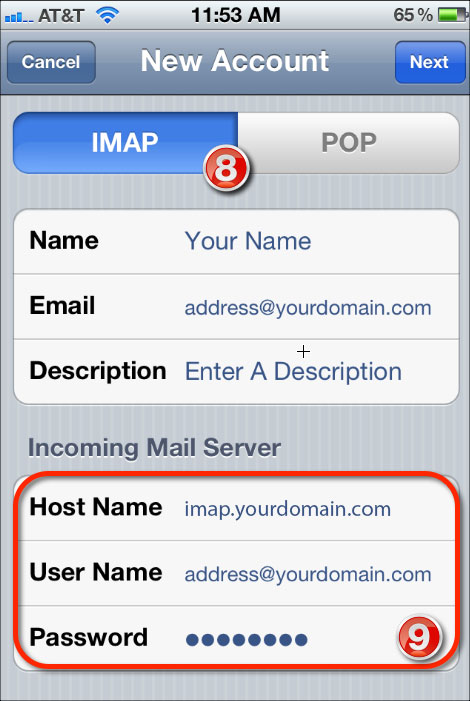
Step-8.
Ensure IMAP is selected at the top of the screen.
Step-9.
Enter imap.yourdomain.com for Host Name. Enter your User Name and full email address and password.
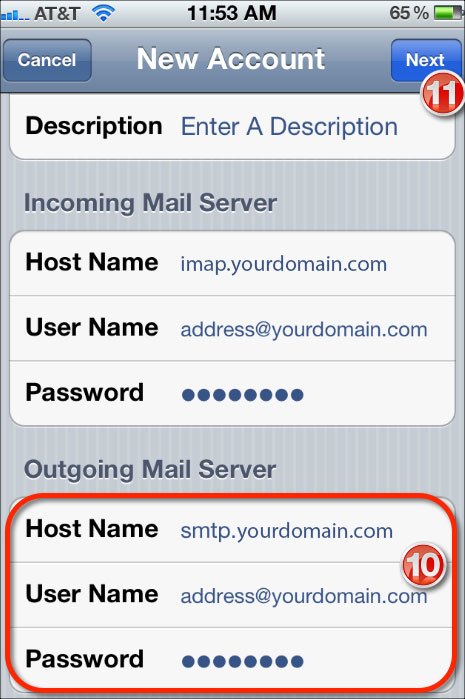
Step-10.
Scroll down and enter smtp.yourdomain.com for the Host Name.
Step-11.
Tap Next. This will verify your settings and then take you to your Inbox.
That’s all you have done setting up Domains email on your iPhone
Like Us on Facebook:
Follow Us on Linkedin:
If you are looking for a web design dubai based company for your website design work, then you must contact us for a better web design deal. Choosing your web design dubai based company really matters for your company web design work.
